Access & guest
SA-Kiosk
Bring the tray and the sale together.
Place a meal tray beneath the overhead scanner in a lodge or food-service area. The landscape display, camera bar and side reader connect tray scanning to ScanningAssist POS, with Face ID, palm, RFID and barcode options for configured guest identification.
- Overhead AI tray scanning
- Real ScanningAssist POS checkout
- Face ID, palm, RFID and barcode
Scroll to explore SA-Kiosk ↓
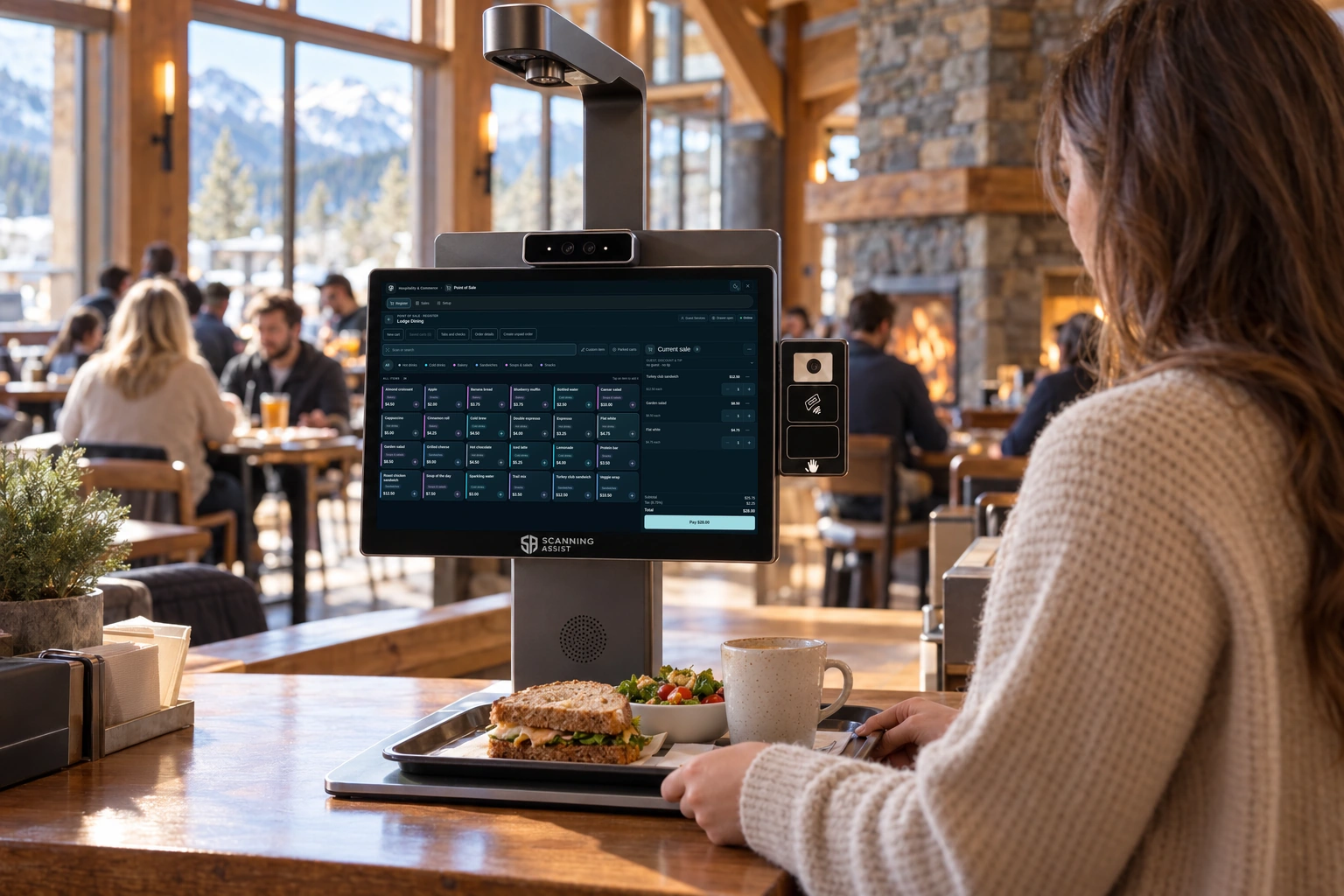
SA-Kiosk · Use case 1
Review the lodge checkout
Use the SA-Kiosk POS screen to review the items recognized from a meal tray. Resolve item questions with the guest, then use the configured payment flow. Guest identification and tray recognition are separate steps.
- Recognized items and listed prices
- Configured Face ID, palm, RFID or barcode identification
- Payment review and sale record
SA-Kiosk POS item review · Demonstration order
Plan SA-Kiosk for your site ↗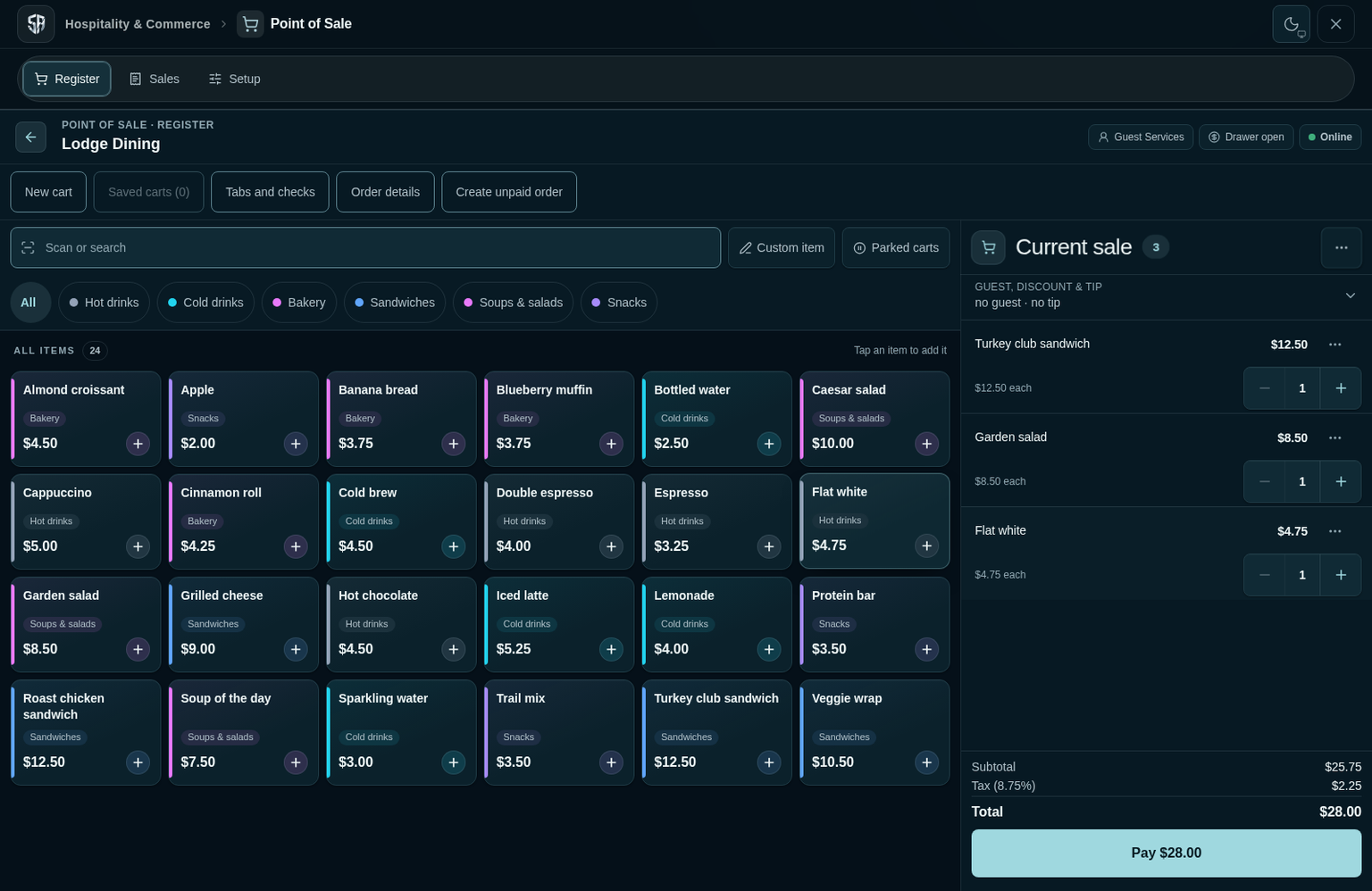
SA-Kiosk · Use case 2
Waterpark food service
Give guests a defined tray-scanning checkout point after they collect their food. Position SA-Kiosk so the scan plate, screen and configured guest-identification reader are easy to approach within the service line.
- Counter layout and tray scanning
- Configured Face ID, palm, RFID or barcode identification
- Supported payment setup and staff assistance
Waterpark food-service example
Plan SA-Kiosk for your site ↗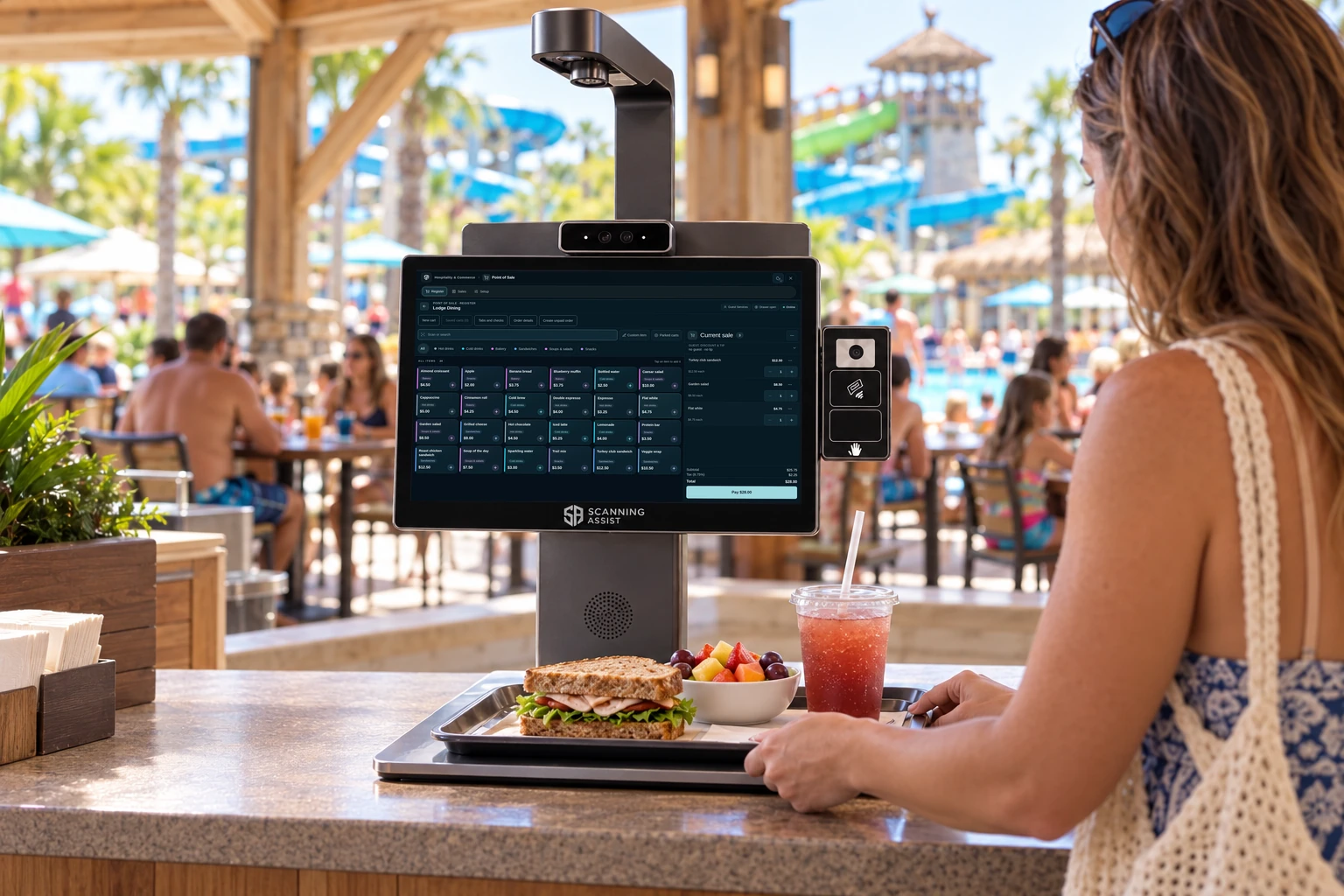
SA-Kiosk · Workflow & placement
Self-service with the visit attached.
- 01Place the food tray on the scan plate beneath the scanner.
- 02Identify the guest with the configured reader and review recognized items and prices in POS.
- 03Complete the configured payment flow and record the sale.
Make checkout part of the visit.
At a lodge food counter, plan the tray space, screen position and service handoff together. Confirm the supported ordering and payment workflow for your operation.
- Counter height and tray placement
- Tray recognition, item review and payment
- Power, network and staff assistance
Explore the details
SA-Kiosk portfolio
Hardware, settings and example use cases. Open any image for a closer look.
Bring it to your property
Plan SA-Kiosk for your property.
Tell us where you want to use SA-Kiosk. We’ll review its placement, setup and supported workflow with your team.
- ✓ We typically respond the same business day.
- $299/mo for a single facility. Hardware quoted separately.

Hardware, deployment and supported features are confirmed in your site quote.
