Scanning Assist OS

The software that runs the whole property.

Bring people, sales, guest services and connected devices into one operating workspace. From hiring and the weekly schedule to the register, reservations and scan analytics, Scanning Assist gives each team a place to do its work.

  • HR and workforce
  • Commerce and guest services
  • Connected property operations

Scroll through the operating system ↓

Actual ScanningAssist POS register with category filters, priced item tiles, current sale and Pay control

People · Human resources

HR that stays connected to the operation.

Keep the roster, organization and people workflows together. Managers can see what needs attention; staff can use the self-service tools their role permits.

  • Manage employees, contractors and pay-readiness gaps.
  • Keep qualifications, expiry dates and required paperwork visible.
  • Publish roles, review applicants and organize the team’s people workflows.
  • People
  • Org
  • Credentials
  • Leave
  • Expenses
  • Previous reviews
  • Goals
  • Reviews
  • Grievances
  • Documents
  • Hiring
Open the real HR screens ↗

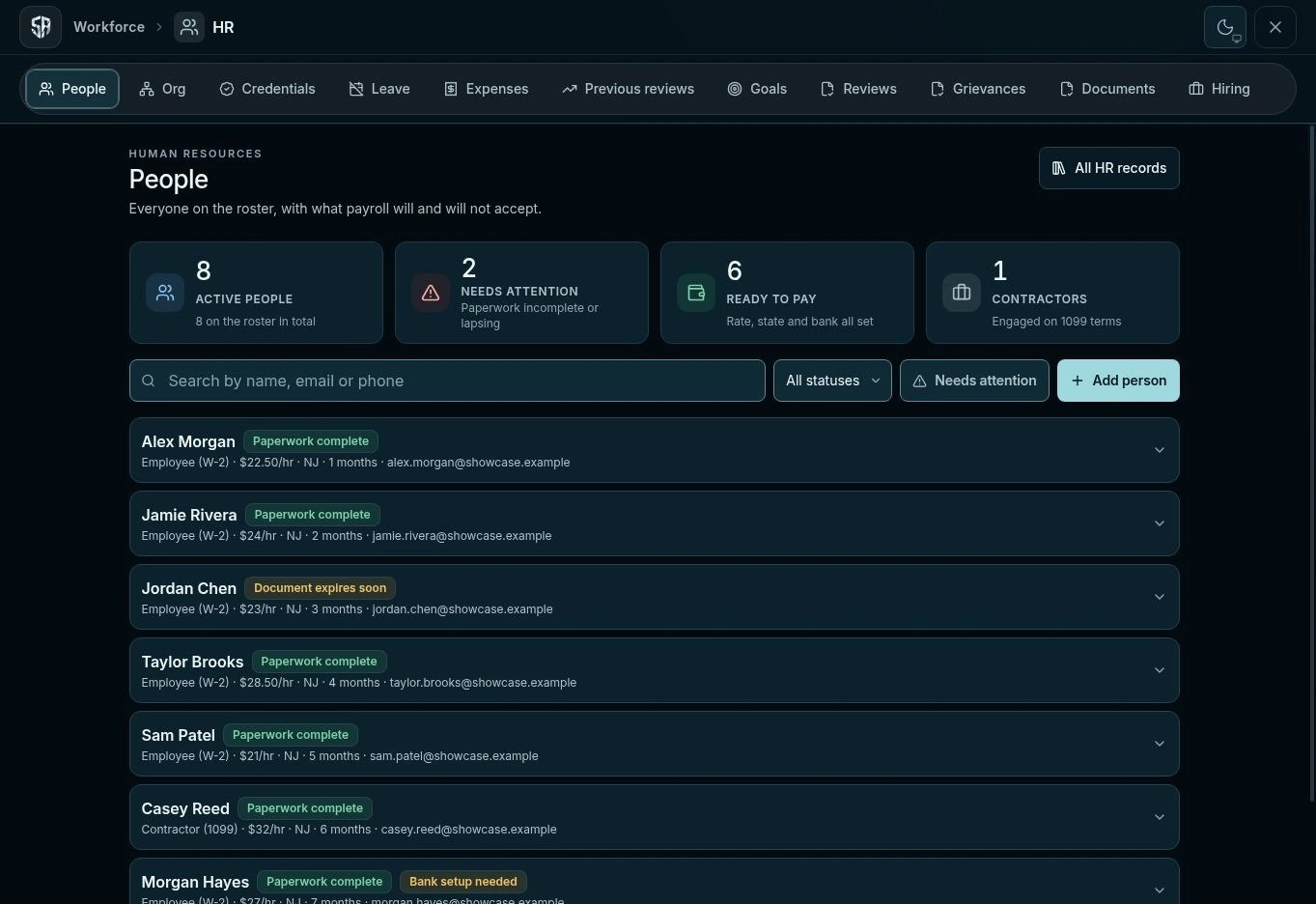
Actual ScanningAssist interface with fictional demonstration records.

Actual ScanningAssist HR People screen with roster, paperwork status and pay readiness

Workforce · From the roster to the pay run

Build the week. Keep the hours connected.

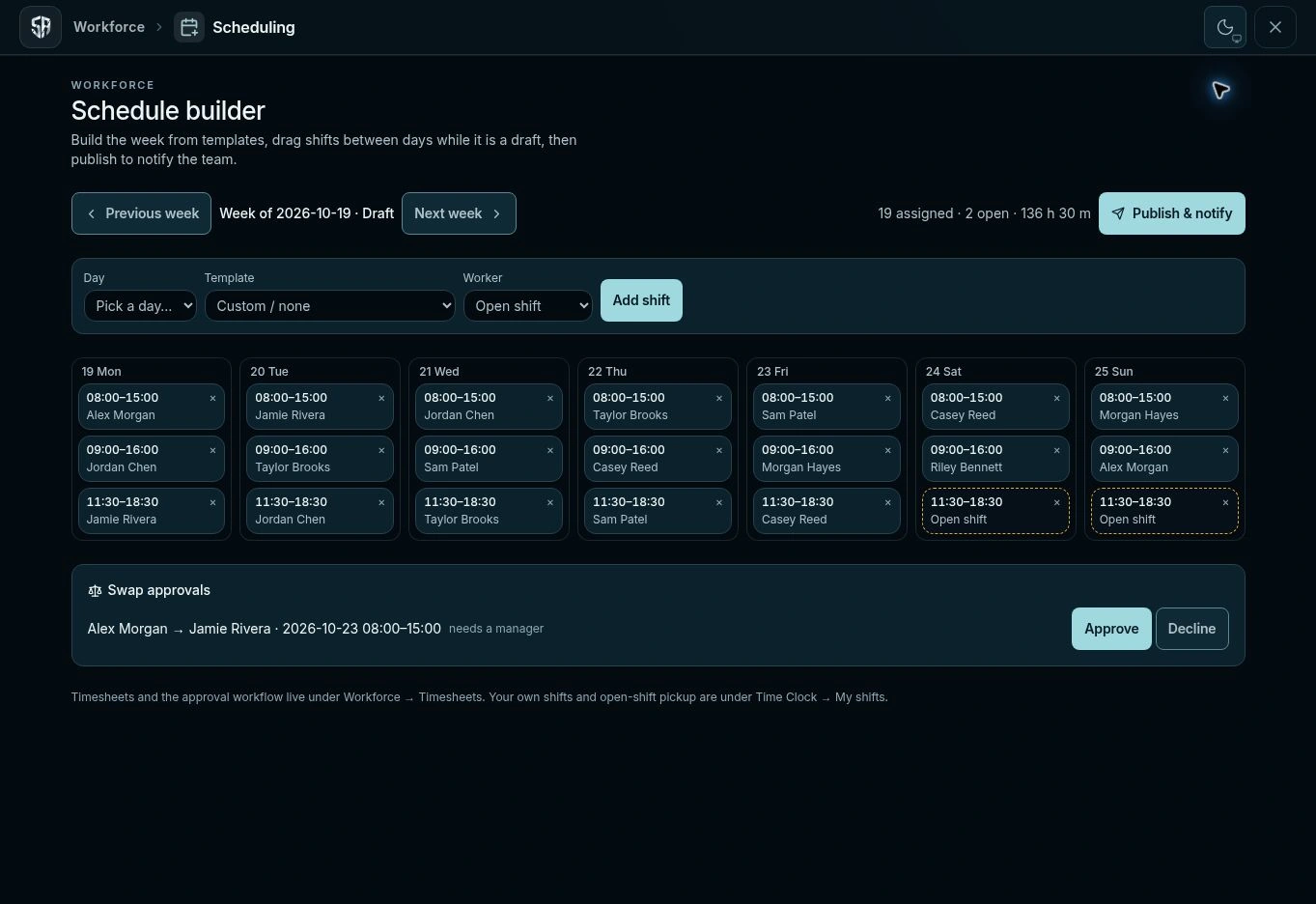
Build schedules from templates, assign coverage and manage open shifts or swaps. Staff record work and breaks; supervisors review timesheets before the payroll workflow begins.

  • Weekly scheduling, published shifts and rotation boards.
  • Time clock, breaks, punch history and timesheet approvals.
  • Pay-run calculation, review, approval and configured disbursement.
See scheduling & time clock screens ↗

Payroll methods and payment availability depend on your configured provider and permissions.

Actual ScanningAssist weekly schedule builder with assigned shifts, open shifts and swap approvals

Commerce · Counter, kitchen & self-service

The tray. The register. The kitchen.

Run retail and food sales through the POS, move preparation orders through the kitchen display, and give guests a self-service checkout with AI tray scanning.

  • Priced items, modifiers, discounts, receipts and refunds.
  • Kitchen tickets move from new to in progress to ready.
  • Face ID, palm, RFID and barcode guest identification on configured gate and kiosk readers.

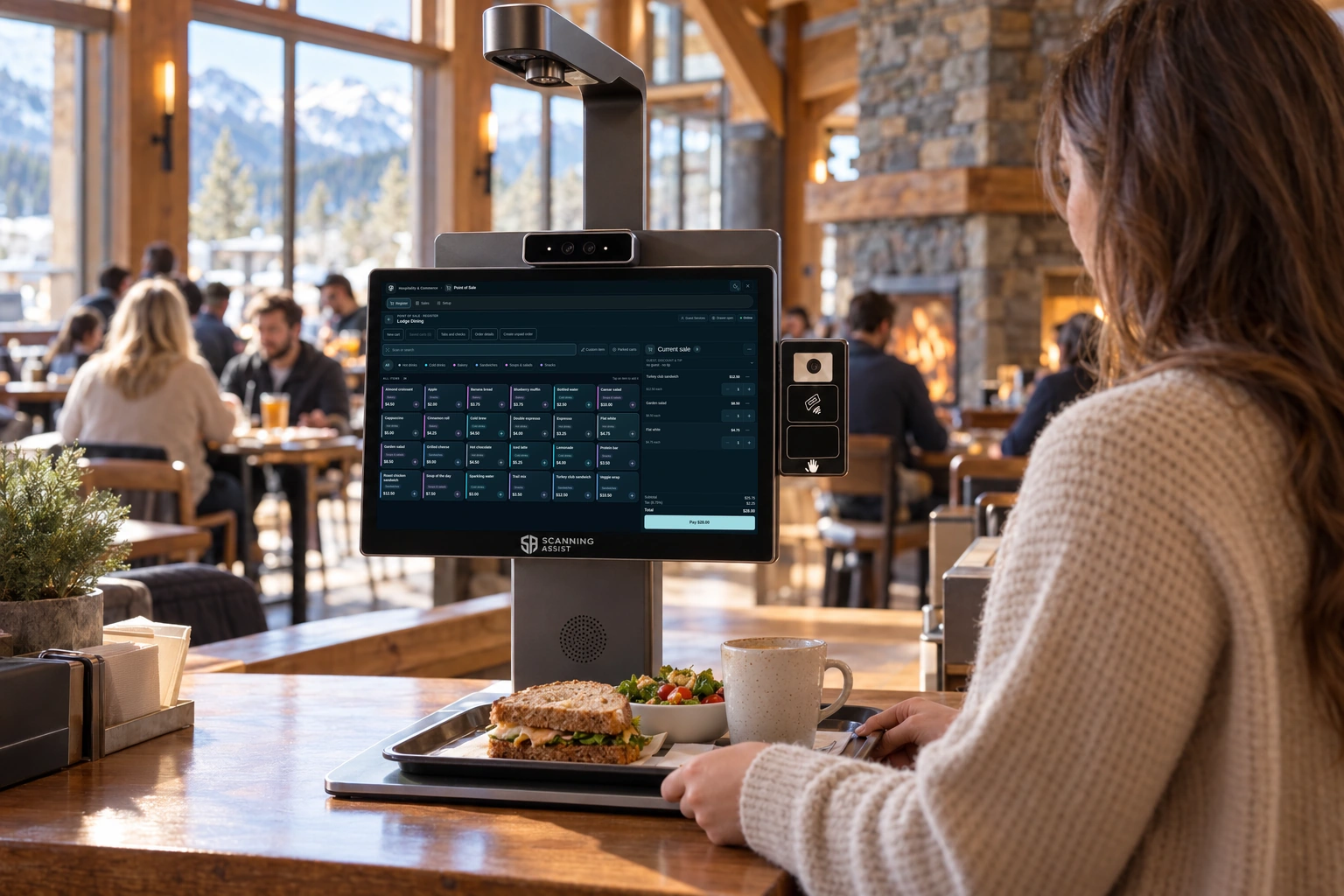
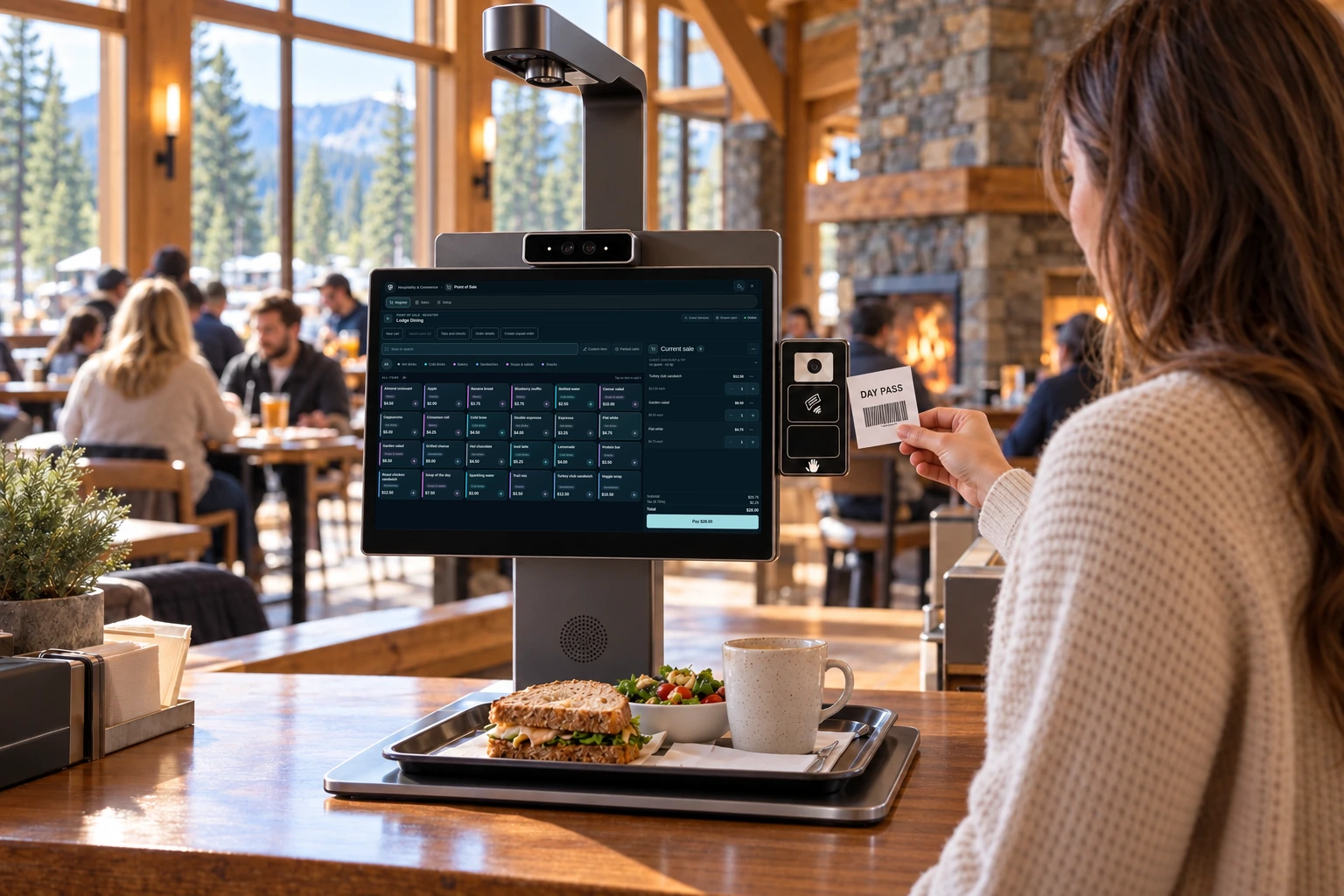
Guest identification, tray recognition and payment confirmation are distinct steps. The kiosk image uses the real POS interface.

Explore SA-Kiosk ↗
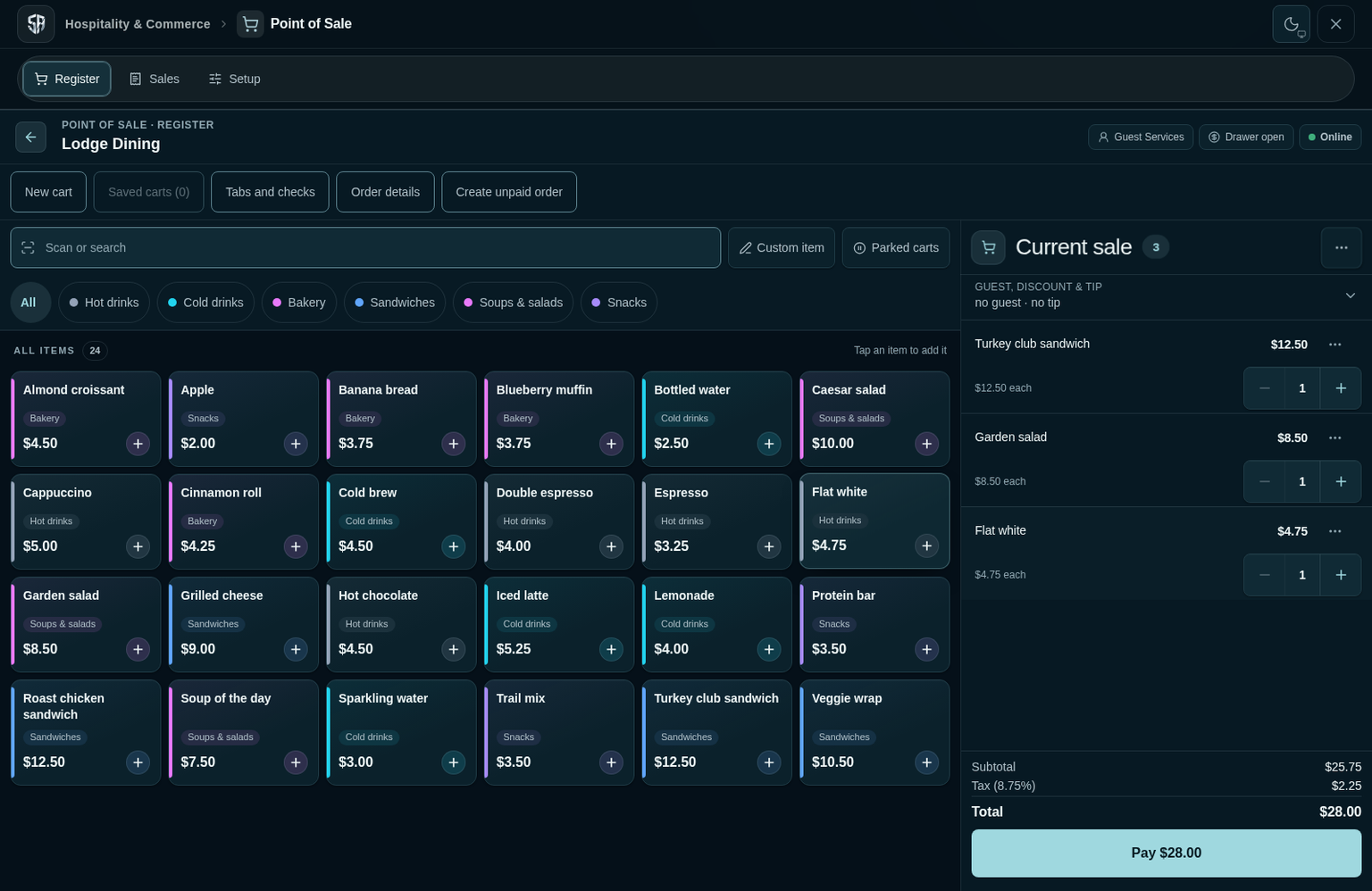
SA-Kiosk scanning a lodge meal tray with the real ScanningAssist POS register on its display

Hospitality · Before arrival through departure

Give the whole visit a home.

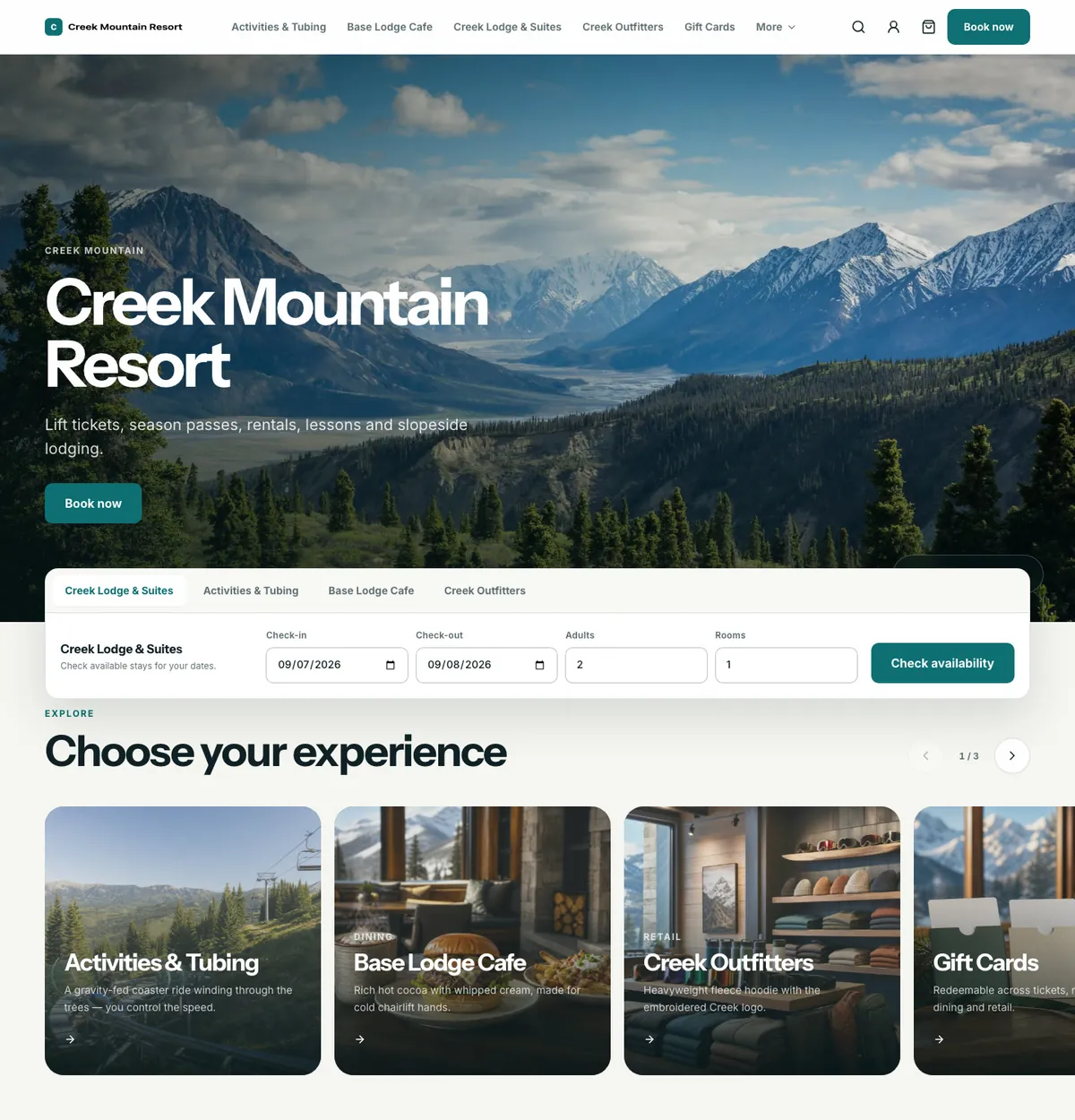
Connect your property website and guest storefront with reservations, rooms, rentals and scheduled programs. Carry the visit from the published offering to arrival, service and departure.

  • Website editing, branding, publishing and guest checkout.
  • Bookings, availability, check-in, check-out and room condition.
  • Rental issue and return, waivers, equipment records and session rosters.
Find your property type ↗
ScanningAssist guest storefront with property content, booking search and guest offerings

Operations · Access, devices & insight

See the activity behind the day.

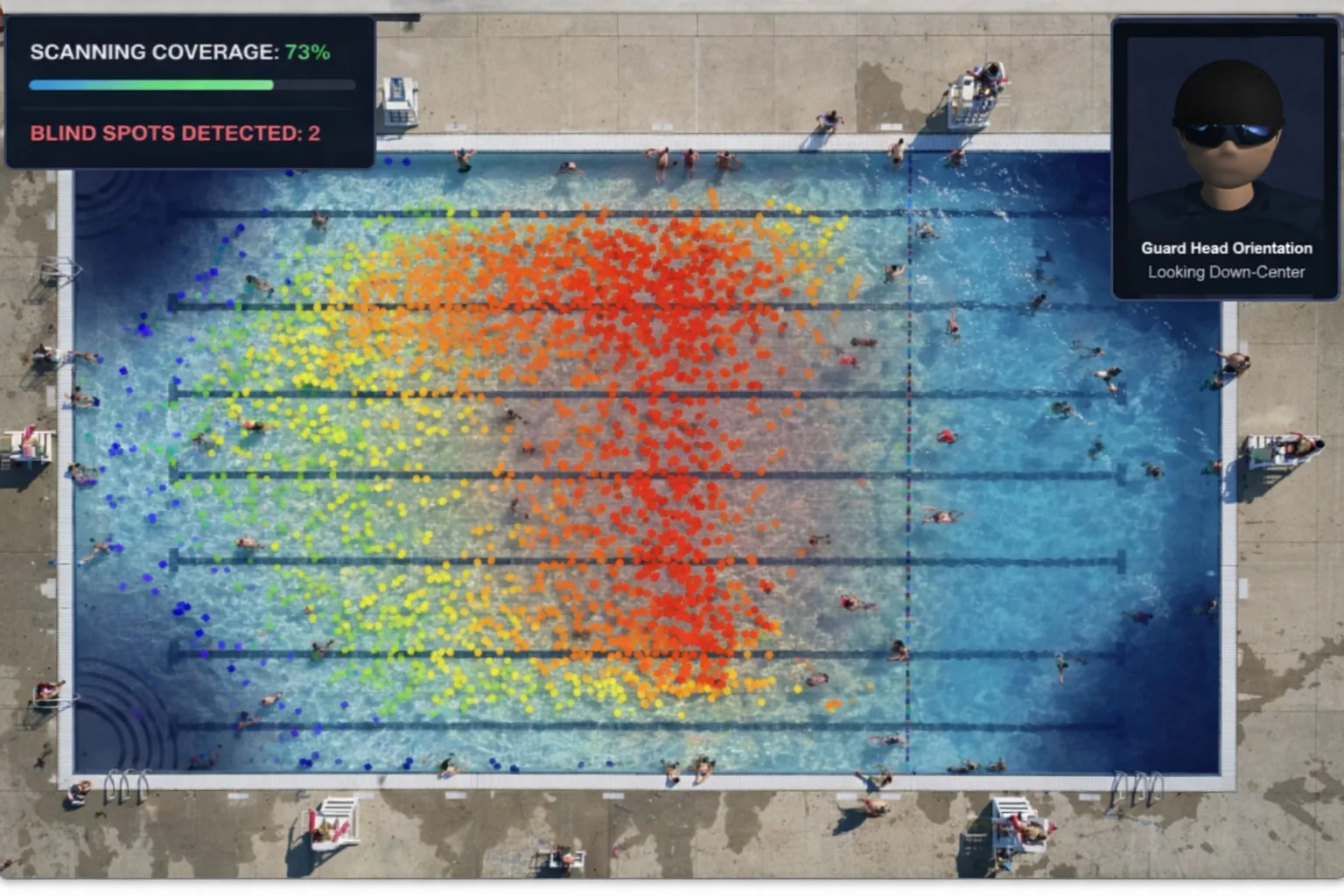
Bring passes, connected devices, camera context and alerts into the operating workspace. Keep daily tasks and incident records organized, then review scanning patterns in the coverage heatmap.

  • Pass validation, entry records, device status and mapped locations.
  • Checklists, inspections, maintenance follow-up and reports.
  • Scan coverage, dwell distribution and blind-spot indicators.

Published scan-coverage example. These indicators support supervisor review and trained teams.

Explore the connected hardware ↗
Published ScanningAssist scan-coverage view showing a pool heatmap, coverage percentage and blind-spot indicators

Built around the property

One platform. Different kinds of busy.

Connect the software and hardware around the way your guests visit and your team works.

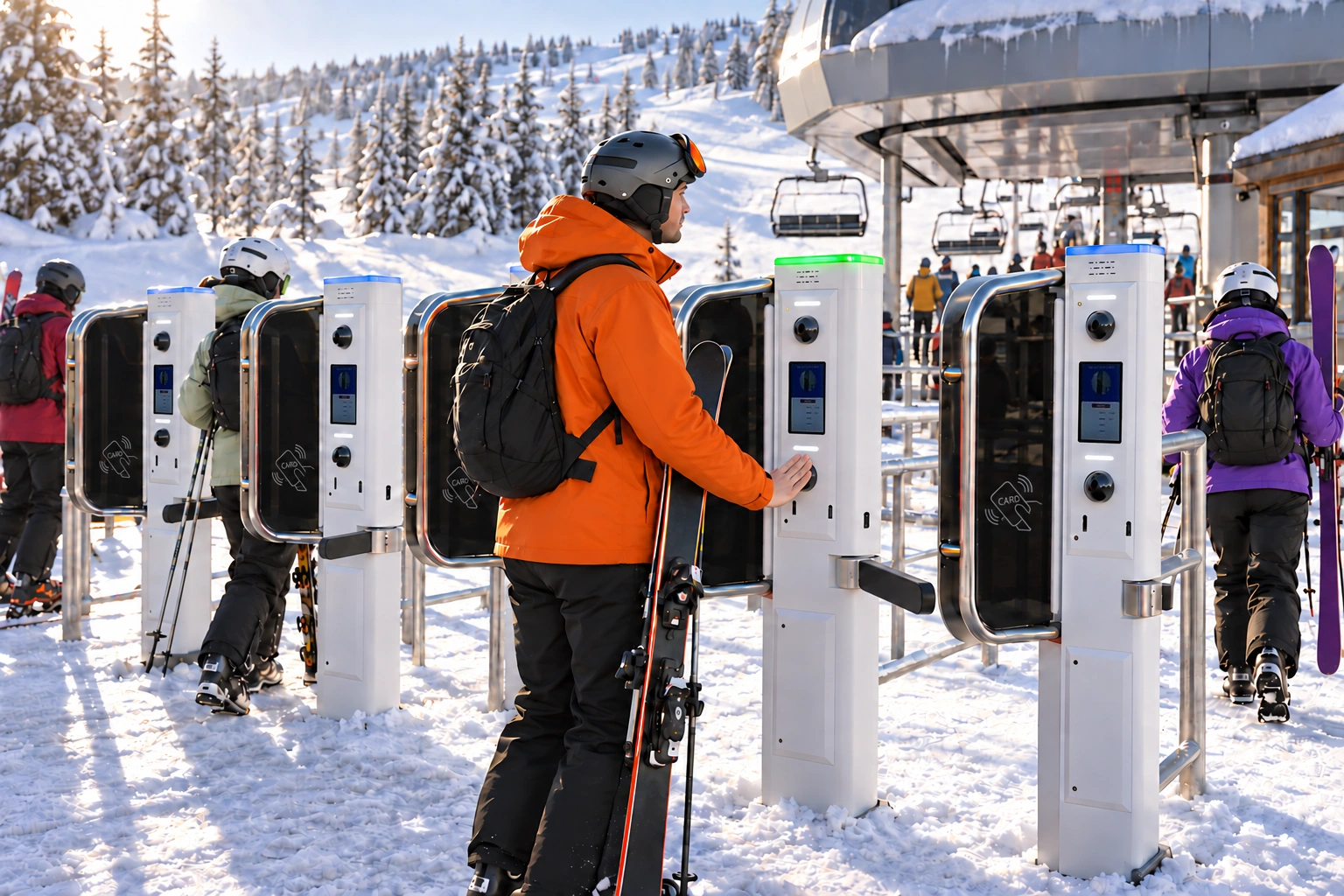
Illustrative row of white SA-Access Gates at a snowy ski-lift entrance

Ski resorts

Bring ticket and pass sales, rental-counter operations, programs and lodge dining into the same property workflow. Use HR and scheduling to organize the seasonal team.

  • Tickets and passes
  • Equipment rentals and waivers
  • Programs, dining and seasonal staffing
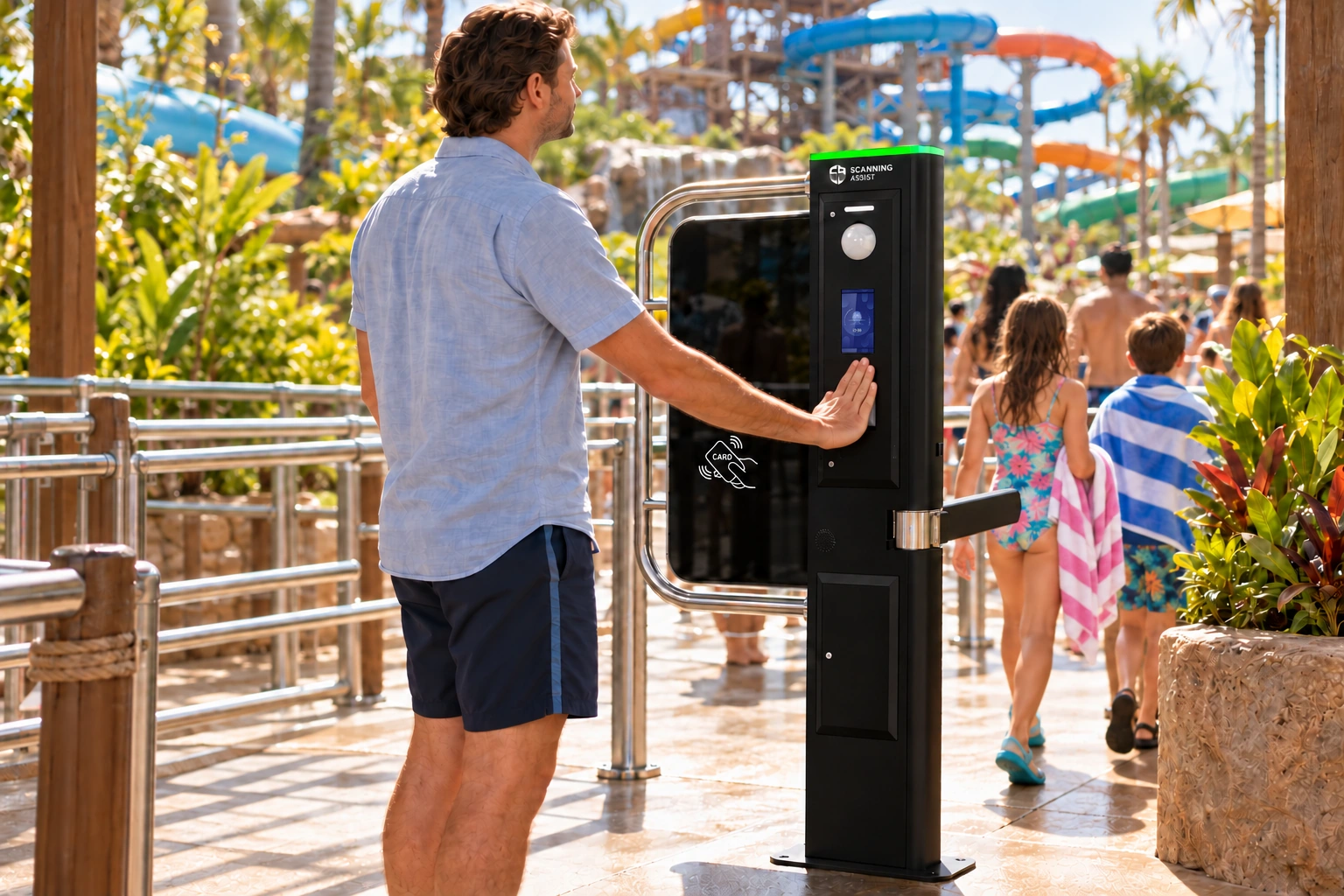
Illustrative face and palm check-in through the black US SA-Access Gate at a waterpark

Waterparks

Connect admissions, food service and rental operations with staff credentials, rotations and scanning analytics. Give supervisors a shared view of alerts and the daily record.

  • Admissions and food service
  • Credentials and rotations
  • Coverage heatmaps and alerts
Illustrative lodge café checkout with an SA-Kiosk, meal tray, barcode pass and real POS display

Campgrounds

Organize guest arrivals, rental equipment, store sales and the seasonal staff schedule. Keep opening tasks and maintenance follow-up in the operating workspace.

  • Guest arrivals and shop sales
  • Rental equipment and waivers
  • Seasonal schedules and daily tasks
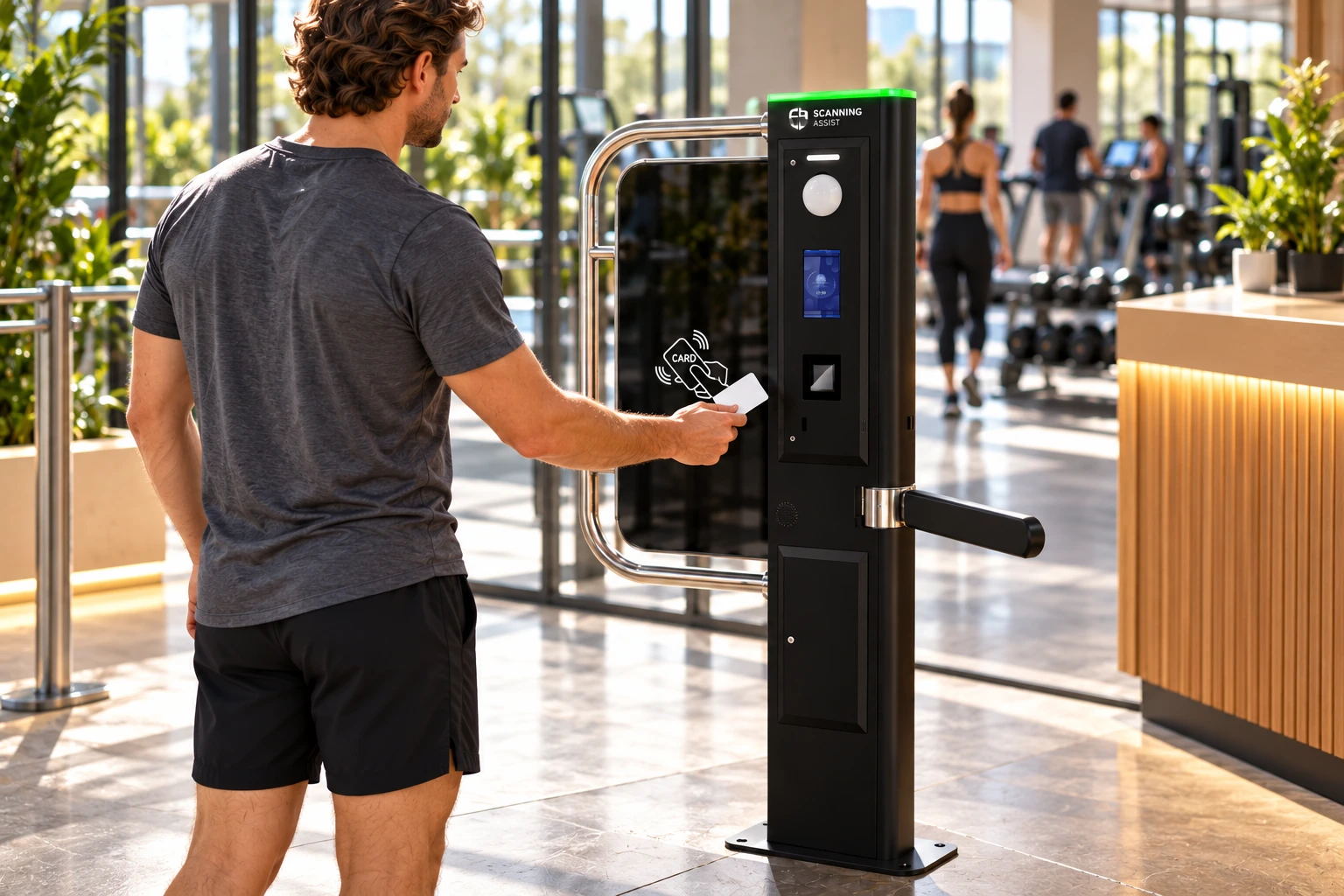
Illustrative gym entrance with an SA-Access Gate and an RFID credential

Gyms

Present membership or pass offerings, validate entry and organize scheduled sessions. Keep instructor records, team schedules and worked hours together.

  • Membership and pass offerings
  • Sessions, rosters and check-in
  • Staff records, schedules and time
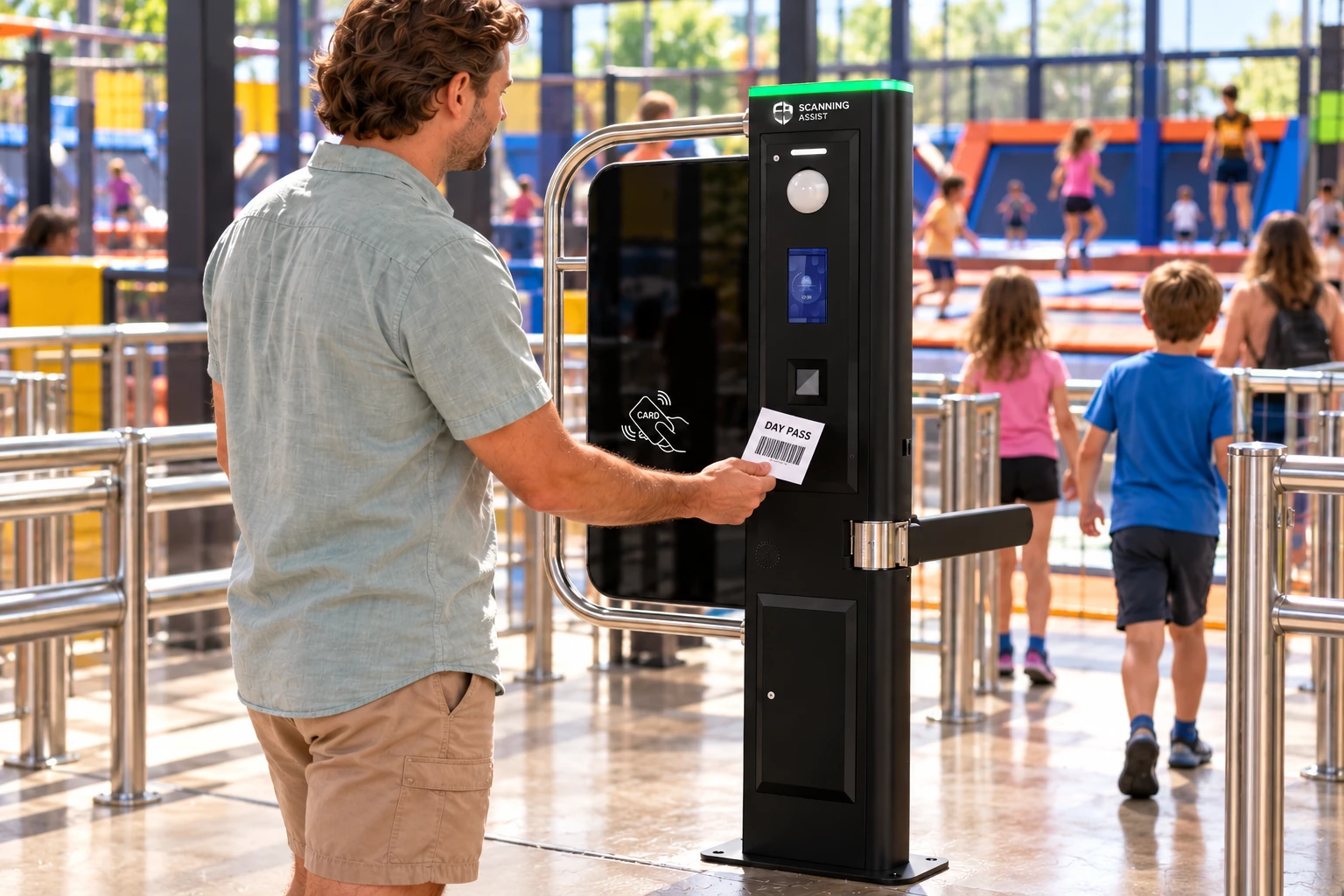
Illustrative trampoline-park entrance with an SA-Access Gate and a printed barcode pass

Trampoline & adventure parks

Bring configured admissions, pass checks, session rosters and food sales into the same workflow. Support the operating team with scheduling, checklists and issue records.

  • Admissions and pass validation
  • Sessions and participant check-in
  • Food sales and operating checklists
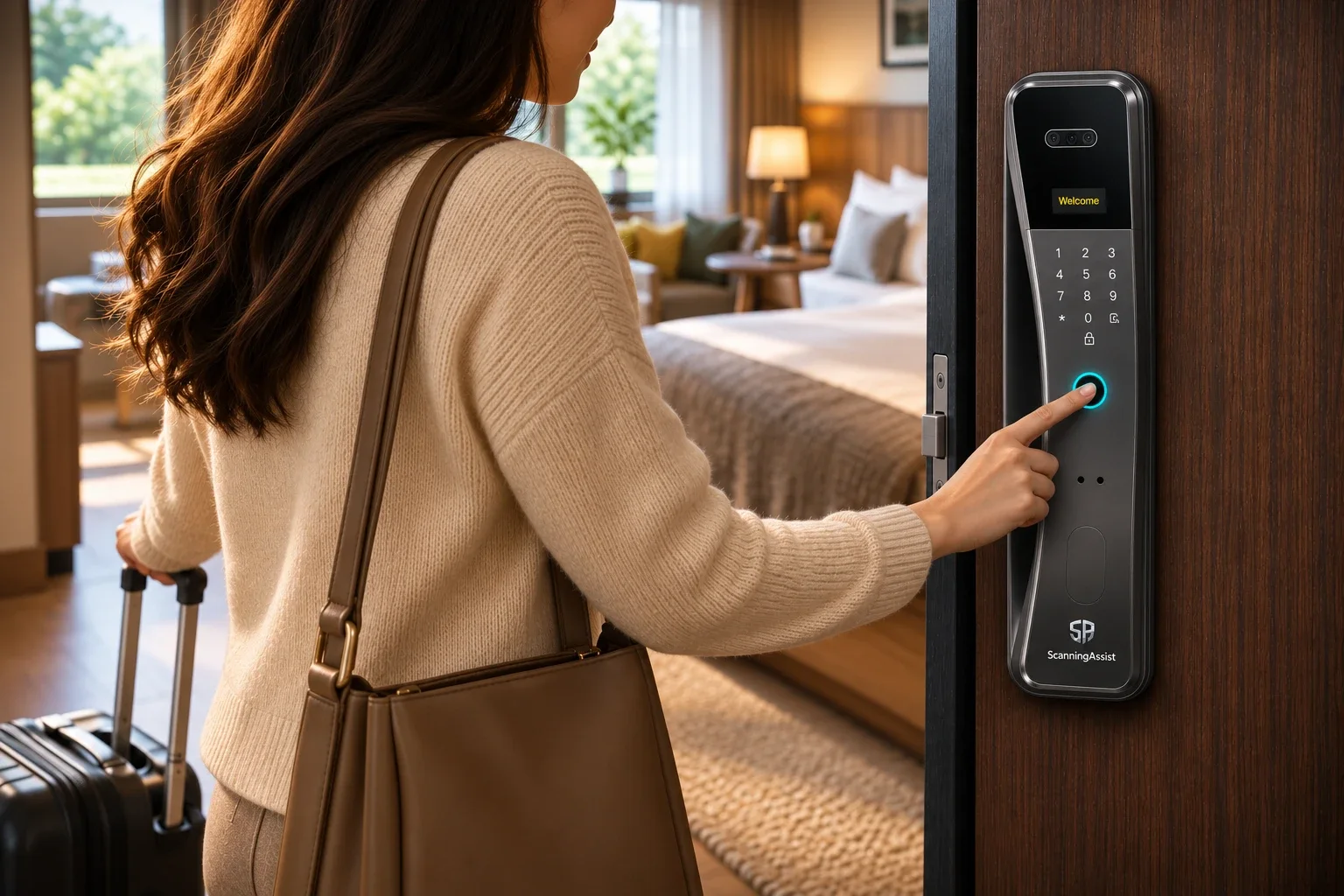
Illustrative hotel arrival at a door fitted with an SA-SafeStay lock

Hotels & lodging

Connect the guest website with reservations, arrivals, rooms and dining. Manage the people behind the stay through HR, schedules, time capture and payroll workflows.

  • Website, bookings and arrivals
  • Room condition and food service
  • HR, scheduling and payroll

Illustrative property scenarios. We configure the modules, devices and workflows for your site.

Plan your property ↗

The complete software picture

The tools behind the whole operation.

Explore each workspace, from the first applicant to the last sale of the day.

01

Build the team. Run the shift.

Human resources

Bring the employee record, required paperwork and day-to-day people decisions into one HR workspace.

  • Employee and contractor directory
  • Organization, credentials and documents
  • Leave, expenses, goals, reviews, grievances and hiring

Scheduling & rotations

Build the week from templates, adjust draft shifts and publish the schedule to your team. Keep open shifts and swap approvals in the same workflow.

  • Weekly schedules and templates
  • Open-shift pickup and shift swaps
  • Published schedules and live rotation boards

Time clock & timesheets

Give staff a clear way to record work and breaks, see their shifts and send time through supervisor review.

  • Clock in, clock out and record breaks
  • Daily hours and punch history
  • Timesheet submission, approval and corrections

Payroll

Move from reviewed time to a calculated pay run, with separate approval and release steps and visibility into payment status.

  • Pay-run calculation, review and approval
  • Configured provider or bank-file disbursement
  • Tax totals, liabilities and deposit records

02

Sell across the property.

Point of sale

Run the register with searchable items, modifiers, controlled discounts and a complete sale record.

  • Cashier sessions and drawer close-out
  • Split tender, receipts and refunds
  • Offline queue with explicit synchronization

Kitchen display

Give the kitchen a shared queue for paid orders that need preparation, then move each ticket from new to in progress to ready.

  • New, in-progress and ready lanes
  • Ticket controls for kitchen staff
  • Optional new-order sound and visual alert

Self-service kiosk

Let guests scan a tray or choose from the menu, review the total and confirm payment on the configured checkout.

  • Tray scanning and menu selection
  • Guest identification on compatible readers
  • Clear order, payment and receipt states

Catalog & inventory

Manage the products behind your selling channels, with categories, stock, orders and promotions in one commerce workspace.

  • Catalog and category management
  • Inventory and order records
  • Promotions and gift cards

03

Organize the guest visit.

Bookings & rooms

Manage reservations from the calendar through arrival and departure, while keeping room availability and condition visible.

  • Create, amend and cancel bookings
  • Availability checks, check-in and check-out
  • Clean, dirty and maintenance room status

Rentals & waivers

Follow an item from reservation and counter issue through return, with its asset record, agreement and waiver attached to the rental workflow.

  • Reservations, active rentals and returns
  • Tagged equipment, deposits and asset history
  • Versioned waivers, damage and maintenance

Programs & sessions

Organize scheduled activities with sessions, instructor information, rosters and participant check-in.

  • Program and session setup
  • Rosters and check-in
  • Waitlists and instructor records

Hospitality websites & guest storefront

Edit the property website and connect guests with the published catalog, bookings and checkout before they arrive.

  • Website sections, branding and live preview
  • Draft, publish and domain controls
  • Configured tickets, passes, rentals and lodging offerings

04

Connect entry and on-site operations.

Tickets, memberships & access

Offer configured tickets and membership or pass products, issue entitlements from reservations and validate entry at the property.

  • Reservation-linked passes and credential binding
  • Entry validation and scan history
  • Face ID, RFID and barcode with compatible SA hardware

Devices, cameras, alerts & maps

Bring connected hardware into the operating workspace so staff can review device status, camera views, alerts and mapped locations.

  • Camera identity, connection status and live views
  • Recent alerts, device details and button lockouts
  • Tracked devices, geofences and map heatmaps

05

Turn activity into a clear record.

Daily operations & reports

Keep opening tasks, issues and incident records accessible to the people responsible for follow-through.

  • Daily checklists and inspection audits
  • Remediation records and scheduled follow-up
  • Rescue-event reports and configured exports

Scan analytics

Review scanning activity by period, section, device and person. Use the real heatmap to examine coverage, distribution and areas receiving little attention.

  • Zone coverage and pool overlays
  • Dwell distribution and blind-spot indicators
  • Period summaries and date-range exports

Modules, hardware workflows and payment methods depend on the property configuration and the permissions assigned to each role.

Discuss your software setup ↗

Bring it to your property

Bring the whole operation together.

Tell us about your property, team and guest experience. We’ll walk through the software and connected hardware that fit your operation.

  • ✓ We typically respond the same business day.
  • $299/mo for a single facility. Hardware quoted separately.

Add an email or phone so we can reply.

Privacy Policy

Modules, hardware workflows and payment methods depend on the property configuration and the permissions assigned to each role.

ScanningAssist